Difference between pages "User:GuyThatExists/DTL1 Text Modding Guide" and "Tutorial"
(Created page with "{{Quote |text=Taking a break from my annual read of Homestuck to actually write the text modding guide<br>it should be much more interesting than Terezi talking to the Black Q...") |
|||
| Line 1: | Line 1: | ||
| − | {{ | + | {{Noncanon|Drawn to Life: SpongeBob SquarePants Edition|boxcolor=#305c79}} |
| − | | | + | {{Infobox/Level |
| − | | | + | |image=<tabber> |
| + | |-|Start=[[File:DTLSBTutorialStart.png|200px|center]] | ||
| + | |-|End=[[File:DTLSBTutorialEnd.png|200px|center]] | ||
| + | </tabber> | ||
| + | |area=[[Bikini Bottom]]<small> (Presumably)</small> | ||
| + | |number=0 | ||
| + | |type=Tutorial<br>Standard | ||
| + | |template=Checkpoint<br>Oopsie Doodle Friend<br>Victory Display | ||
| + | |saved=[[Spongebob]] | ||
| + | |coins=65 | ||
| + | |game={{Icon|DTLSB}} | ||
| + | |prevlevel=<br>-- | ||
| + | |nextlevel=[[File:UPTOWNBIKINIBOTTOM.png|100px|link=Uptown Bikini Bottom]]<br>[[Uptown Bikini Bottom]] | ||
| + | |boxcolor=#305c79 | ||
| + | }} | ||
| + | |||
| + | The '''Tutorial''' is the very first level in ''[[Drawn to Life: SpongeBob SquarePants Edition]]''. This level, as the name suggests, is a tutorial level and thus cannot be revisited after completion. | ||
| + | |||
| + | == {{Icon|Story}} Story == | ||
| + | |||
| + | [[DoodlePants]] arrives in the Tutorial stage after [[DoodleBob]] is drawn back to life and [[Spongebob]] gets captured by an army of [[Doodle Dudes]]. Throughout this short stage, the player is introduced to basic game mechanics such as basic jumping with the {{Icon|BButton}} Button and attacking with the {{Icon|YButton}} Button, ground pounding by pressing down on the D-Pad upon jumping and using the Stylus to rub away [[Doodle Scribble]] among other things. | ||
| + | |||
| + | After progressing through the short level, learning how to navigate and freeing [[Spongebob]], DoodlePants returns to [[Bikini Bottom]] to observe the damages done to it. | ||
| + | |||
| + | =={{Icon|Baki}} Enemies== | ||
| + | * [[Doodle Dude]] ([[Oopsie Doodle]]) | ||
| + | * [[Jellyfish]] | ||
| + | |||
| + | {{BR|Clear}} | ||
| + | =={{Icon|Palette}} Creations== | ||
| + | <center> | ||
| + | <tabber> | ||
| + | |-|Checkpoint=[[File:Checkpoint.png|center|100px]]<center>'''Checkpoint'''</center> Draw a MAGIC PENCIL! You'll return here a lot, so make it great! Zoom in with the magnifying glass to add detail! <br> Beautiful! Now you have a place to pop back to when things get tough! | ||
| + | |-|Oopsie Doodle Friend=[[File:OopsieDoodle.png|center|100px|link=Doodle Dude]]<center>'''Oopsie Doodle Friend'''</center> Redraw this Doodle Dude and turn him into your new friend! | ||
| + | |-|Victory Display=[[File:VictoryDisplay.png|center|100px]]<center>'''Victory Display'''</center> You win! Draw a VICTORY DISPLAY! Bring the key and jump on top of the display to clear the level! | ||
| + | </tabber> | ||
| + | </center> | ||
| + | <center><small style="color: #8e8e8e;">''This list only includes creations that are first drawn within this level.''</small></center> | ||
| + | |||
| + | == {{Icon|Jowee}} Rescued Bikini Bottom Residents == | ||
| + | |||
| + | {{RescuedRaposa | ||
| + | |Amount = 1 | ||
| + | |||
| + | |Sprite1 = [[File:SPONGEBOB3D.png|75px]] | ||
| + | |Character1 = [[Spongebob]] | ||
| + | |Quote1 = Thanks, DoodlePants! | ||
}} | }} | ||
| − | |||
| − | =={{Icon| | + | =={{Icon|Notes}} After Dialogue== |
| − | + | ||
| − | + | :'''SpongeBob''': Phew! That was close! It's good to be back in Bikini Bottom. All thanks to you DoodlePants! | |
| − | + | ||
| − | + | :'''Patrick''': You can say that again, SpongeBob! Say, what's all this junk lying around? | |
| − | + | ||
| − | + | :'''SpongeBob''': Yeah, what is all that? Let's get a close look. | |
| + | |||
| + | :'''???''': Oowww! | ||
| + | |||
| + | :'''Patrick''': Uh, oh! I just stepped on something gross! ...It's covered in icky suckers! I'm gonna be sick! | ||
| + | |||
| + | :'''Squidward''': Watch it there! You're standing on my leg! | ||
| + | |||
| + | :'''Spongebob''': Hey, Squidward! What are you doing taking a nap here? | ||
| + | |||
| + | :'''Squidward''': Blockhead! Take a look around! Notice anything different? Like the destruction of Bikini Bottom!? | ||
| + | |||
| + | :'''SpongeBob''': ....... | ||
| + | |||
| + | :'''Patrick''': ....... | ||
| + | |||
| + | :'''Spongebob and Patrick''': Oh, no! | ||
| + | |||
| + | :'''Squidward''': The town is ruined. Everyone was taken away by an army of Doodle Dudes... | ||
| + | |||
| + | :'''Squidward''': ...and they took my favorite clarinet away--right in the middle of practice time! | ||
| + | |||
| + | :'''Squidward''': I'm holding both of you responsible! You're going to fix my house just the way it was! | ||
| − | + | :'''Squidward''': I suppose one of us can tag along with DoodlePants. | |
| − | |||
| − | |||
| − | |||
| − | |||
| − | |||
| − | |||
| − | |||
| − | |||
| − | |||
| − | |||
| − | |||
| − | |||
| − | |||
| − | |||
| − | |||
| − | |||
| − | |||
| − | |||
| − | |||
| − | |||
| − | |||
| − | |||
| − | |||
| − | |||
| − | |||
| − | |||
| − | |||
| − | |||
| − | |||
| − | |||
| − | |||
| − | |||
| − | |||
| − | |||
| − | |||
| − | |||
| − | |||
| − | |||
| − | |||
| − | |||
| − | |||
| − | |||
| − | |||
| − | |||
| − | |||
| − | |||
| − | |||
| − | |||
| − | |||
| − | |||
| − | |||
| − | |||
| − | |||
| − | |||
| − | |||
| − | |||
| − | |||
| − | |||
| − | |||
| − | |||
| − | |||
| − | |||
| − | |||
| − | |||
| − | |||
| − | + | :'''Squidward''': Everyone else STAYS! My house had better be repaired quickly! I need my beauty sleep! | |
| − | |||
| − | |||
| − | |||
| − | |||
| − | |||
| − | |||
| − | + | :'''SpongeBob''': You can count on us Squidward! Say, DoodlePants. Which one of us are you going to take along for the adventure? | |
| − | |||
| − | |||
| − | + | <tabber> | |
| + | |-|Spongebob= | ||
| + | :'''Prompt''': Need a sponge shield? Press the X Button and stretch a square over your character! | ||
| + | |-|Squidward= | ||
| + | :'''Prompt''': Press the X Button and stretch a circle over enemies to give them a "stunning" performance. | ||
| + | |-|Patrick= | ||
| + | :'''Patrick''': Ninja Starfish! Press the X Button and draw a line to hurl Patrick and stun the enemies! | ||
| + | </tabber> | ||
| + | ---- | ||
| − | =={{ | + | == {{IconSVG|Trivia}} Trivia == |
| − | + | * A total value of just 65 Coins can be collected in this level. This includes coins obtained from crates and enemy kills, but excludes coins earned from combos. | |
| + | ** Unlike other levels, it is not possible to obtain a bonus score for this level. | ||
| + | * There are no [[Bikini Bottom Home]] residents hidden in the level that the player must find, but SpongeBob is saved at the end. | ||
| + | ** There are also no extra lives or health pickups to collect, probably due to the level being just a tutorial. | ||
| − | =={{Icon| | + | =={{Icon|Painting}} Media == |
| − | + | <center> | |
| + | <tabber> | ||
| + | |-|Screenshots= | ||
| + | <gallery widths="310" captionsize="medium" captiontextcolor="#8e8e8e" bordersize="none" bordercolor="transparent" captionalign="center" spacing="small" position="center"> | ||
| + | Spongebob_Scared.png|SpongeBob being rescued. | ||
| + | UPTOWNBIKINIBOTTOMBACKGROUND.png|The Background used in this stage. | ||
| + | </gallery> | ||
| + | |-|Music= | ||
| + | <gallery widths="310" captionsize="medium" captiontextcolor="#8e8e8e" bordersize="none" bordercolor="transparent" captionalign="center" spacing="small" position="center"> | ||
| + | DTL_SP_Uptown_Bikini_Bottom.ogg|Uptown Bikini Bottom | ||
| + | </gallery> | ||
| + | </tabber> | ||
| + | </center> | ||
| − | + | {{Navbox/Level|Drawn to Life: SpongeBob SquarePants Edition|Bikini Bottom Home|Bikini Bottom|Tutorial|boxcolor=#305c79}} | |
| − | + | __NOTOC__ | |
| + | [[Category:Non-Canon]] | ||
| + | [[Category:Drawn to Life: SpongeBob SquarePants Edition]] | ||
| + | [[Category:Bikini Bottom]] | ||
| + | [[Category:Levels]] | ||
| + | [[Category:Levels in Drawn to Life:SpongeBob SquarePants Edition]] | ||
Revision as of 00:58, 26 May 2024
This Article Contains Non-Canon Content! This page contains content that is not a part of the official canon. Drawn to Life: SpongeBob SquarePants Edition. Non-canon media includes; theories, fan art, speculation, or games published by developers other than 5th Cell or Digital Continue. |
| Tutorial | |
| Characteristics | |
|---|---|
| Area | Bikini Bottom (Presumably) |
| Number | 0 |
| Level Type | Tutorial Standard |
| Information | |
| Template | Checkpoint Oopsie Doodle Friend Victory Display |
| Saved | Spongebob |
| Secrets | None |
| Coins | 65 |
| Game | 
|
| Navigation | |
| Last Level -- |
Next Level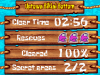 Uptown Bikini Bottom |


The Tutorial is the very first level in Drawn to Life: SpongeBob SquarePants Edition. This level, as the name suggests, is a tutorial level and thus cannot be revisited after completion.
 Story
Story
DoodlePants arrives in the Tutorial stage after DoodleBob is drawn back to life and Spongebob gets captured by an army of Doodle Dudes. Throughout this short stage, the player is introduced to basic game mechanics such as basic jumping with the  Button and attacking with the
  Button, ground pounding by pressing down on the D-Pad upon jumping and using the Stylus to rub away Doodle Scribble among other things.
After progressing through the short level, learning how to navigate and freeing Spongebob, DoodlePants returns to Bikini Bottom to observe the damages done to it.
 Enemies
 Creations

Beautiful! Now you have a place to pop back to when things get tough!


 Rescued Bikini Bottom Residents
 Spongebob

After Dialogue
- SpongeBob: Phew! That was close! It's good to be back in Bikini Bottom. All thanks to you DoodlePants!
- Patrick: You can say that again, SpongeBob! Say, what's all this junk lying around?
- SpongeBob: Yeah, what is all that? Let's get a close look.
- ???: Oowww!
- Patrick: Uh, oh! I just stepped on something gross! ...It's covered in icky suckers! I'm gonna be sick!
- Squidward: Watch it there! You're standing on my leg!
- Spongebob: Hey, Squidward! What are you doing taking a nap here?
- Squidward: Blockhead! Take a look around! Notice anything different? Like the destruction of Bikini Bottom!?
- SpongeBob: .......
- Patrick: .......
- Spongebob and Patrick: Oh, no!
- Squidward: The town is ruined. Everyone was taken away by an army of Doodle Dudes...
- Squidward: ...and they took my favorite clarinet away--right in the middle of practice time!
- Squidward: I'm holding both of you responsible! You're going to fix my house just the way it was!
- Squidward: I suppose one of us can tag along with DoodlePants.
- Squidward: Everyone else STAYS! My house had better be repaired quickly! I need my beauty sleep!
- SpongeBob: You can count on us Squidward! Say, DoodlePants. Which one of us are you going to take along for the adventure?
- Prompt: Need a sponge shield? Press the X Button and stretch a square over your character!
- Prompt: Press the X Button and stretch a circle over enemies to give them a "stunning" performance.
- Patrick: Ninja Starfish! Press the X Button and draw a line to hurl Patrick and stun the enemies!
Trivia
- A total value of just 65 Coins can be collected in this level. This includes coins obtained from crates and enemy kills, but excludes coins earned from combos.
- Unlike other levels, it is not possible to obtain a bonus score for this level.
- There are no Bikini Bottom Home residents hidden in the level that the player must find, but SpongeBob is saved at the end.
- There are also no extra lives or health pickups to collect, probably due to the level being just a tutorial.
 Media
Media

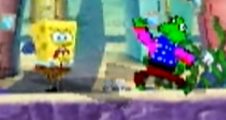
SpongeBob being rescued.

The Background used in this stage.



Uptown Bikini Bottom
