Difference between revisions of "Draw SpongeBob"
(Created most of the Learn to Draw mode page; I haven't got time to finish it, but I'll be able to get back to it later.) |
|||
| (4 intermediate revisions by the same user not shown) | |||
| Line 102: | Line 102: | ||
===[[File:DSB 7.png|200px|left]] Now color in your artwork! === | ===[[File:DSB 7.png|200px|left]] Now color in your artwork! === | ||
| − | [[File: | + | ===='''[[File:DSB Patrick.gif|200px]]'''==== |
| + | |||
| + | ===[[File:P TTB.png|200px|left]] Trace the body === | ||
| + | |||
| + | ===[[File:P DAAL.png|200px|left]] Draw arms and legs === | ||
| + | |||
| + | ===[[File:P PHF.png|200px|left]] Place his face === | ||
| + | |||
| + | ===[[File:P DE.png|200px|left]] Draw eyebrows === | ||
| + | |||
| + | ===[[File:P PP.png|200px|left]] Place pants === | ||
| + | |||
| + | ===[[File:P PAAL.png|200px|left]] Place arms and legs === | ||
| + | |||
| + | ===[[File:P NCIYA.png|200px|left]] Now color in your artwork! === | ||
| + | |||
| + | ===='''[[File:DSB DoodleBob.gif|200px]]'''==== | ||
| + | |||
| + | ===[[File:DB TTB.png|200px|left]] Trace the body === | ||
| + | |||
| + | ===[[File:DB PHF.png|200px|left]] Place his face === | ||
| + | |||
| + | ===[[File:DB DAAL.png|200px|left]] Draw arms and legs === | ||
| + | |||
| + | ===[[File:DB PP.png|200px|left]] Place pants === | ||
| + | |||
| + | ===[[File:DB PAAL.png|200px|left]] Place arms and legs === | ||
| + | |||
| + | ===='''[[File:DSB Gary.gif|200px]]'''==== | ||
| + | |||
| + | ===[[File:G THS.png|200px|left]] Trace his shell === | ||
| + | |||
| + | ===[[File:G THB.png|200px|left]] Trace his body === | ||
| + | |||
| + | ===[[File:G DHE.png|200px|left]] Draw his eyes === | ||
| + | |||
| + | ===[[File:G PHE.png|200px|left]] Place his eyes === | ||
| + | |||
| + | ===[[File:G PHSD.png|200px|left]] Place his shell decorations === | ||
| + | |||
| + | ===[[File:G NCIYA.png|200px|left]] Now color in your artwork! === | ||
}} | }} | ||
== {{IconSVG|Trivia}} Trivia == | == {{IconSVG|Trivia}} Trivia == | ||
| − | [[ | + | * [[Drawn to Life: SpongeBob SquarePants Edition]] is the only game in the series to feature a drawing tutorial mode. |
| + | * Some palettes used in this mode can't be used in the basic Draw Mode. | ||
== {{Icon|Media}} Media == | == {{Icon|Media}} Media == | ||
| − | [[ | + | <center> |
| − | + | <tabber> | |
| + | |-|Miscellaneous= | ||
| + | <gallery widths="310" spacing="small" bordercolor="transparent" bordersize="none" captiontextcolor="#8e8e8e" captionsize="small" captionalign="center" position="center"> | ||
| + | DSBBack.png|The backgrounds this mode uses. | ||
| + | DTL_SP_Learn_To_Draw.ogg|The music that plays in the "Learn to Draw" sub-menu. | ||
| + | DTL_SP_Draw_SpongeBob_Menu.ogg|The music that plays in the "Draw SpongeBob" sub-menu. | ||
| + | DTL_SP_Draw_SpongeBob_Instructions.ogg|Plays during the Draw SpongeBob instructions. | ||
| + | </gallery> | ||
| + | |-|"Learn To Draw" portraits= | ||
| + | <gallery widths="310" spacing="small" bordercolor="transparent" bordersize="none" captiontextcolor="#8e8e8e" captionsize="small" captionalign="center" position="center"> | ||
| + | DTLSpongeBobLearnToDraw.png|[[Spongebob]] | ||
| + | DTLPatrickLearnToDraw.png|[[Patrick]] | ||
| + | DTLSBDoodleBobHowToDraw.png|DoodleBob | ||
| + | LTDGary.gif|Gary | ||
| + | KrustyKrabBox.gif|Krusty Krab box | ||
| + | SBFish.gif|Fish | ||
| + | </gallery> | ||
| + | |-|Palettes= | ||
| + | <gallery widths="65" spacing="small" bordercolor="transparent" bordersize="none" captiontextcolor="#8e8e8e" captionsize="small" captionalign="center" position="center"> | ||
| + | BasicPalette.png|Basic Palette | ||
| + | BasicPalette2.png|Basic Palette 2 | ||
| + | Flamin'Palette.png|Flamin' Palette | ||
| + | WaterBluePalette.png|Water Blue Palette | ||
| + | OrganicPalette.png|Organic Palette | ||
| + | MechanicPalette.png|Mechanic Palette | ||
| + | PeopleDrawin'Palette.png|People Drawin' | ||
| + | PeopleDrawin'Palette2.png|People Drawin' 2 | ||
| + | SpongeBobPalette.png|SpongeBob Palette | ||
| + | PatrickPalette.png|Patrick Palette | ||
| + | DoodleBobPalette.png|DoodleBob's Palette | ||
| + | GaryPalette.png|Gary's Palette | ||
| + | FishPalette.png|Fish Palette | ||
| + | </gallery> | ||
| + | </tabber> | ||
| + | </center> | ||
| + | {{Navbox/Object|boxcolor=#c88060|Drawn to Life: SpongeBob SquarePants Edition|Bikini Bottom|Draw SpongeBob}} | ||
__NOTOC__ | __NOTOC__ | ||
[[Category:Drawn to Life: SpongeBob SquarePants Edition]] | [[Category:Drawn to Life: SpongeBob SquarePants Edition]] | ||
| + | [[Category: Objects in Drawn to Life: SpongeBob SquarePants Edition]] | ||
Latest revision as of 09:23, 4 July 2024
This Article Contains Non-Canon Content! This page contains content that is not a part of the official canon. Drawn to Life: SpongeBob SquarePants Edition. Non-canon media includes; theories, fan art, speculation, or games published by developers other than 5th Cell or Digital Continue. |
| Draw SpongeBob | |
| Use | Draw Mode |
| Village Object | No |
| Retrieved | After Certain Levels of Progression |
| Location | Krusty Krab Main Menu |
| Games |  |

–Prompt
Draw SpongeBob is an interactive side mode in Drawn to Life: SpongeBob SquarePants Edition. Each drawing is collected after a certain amount of Bikini Bottom citizens are saved and Doodle Scribble is erased, and can be available to purchase at the Krusty Krab.
 Main Mode[edit]
This mode intends to teach the player how to draw and color things in the SpongeBob universe, with tutorials for shapes, facial features and characters to interact with. The player is restricted to the color palettes preloaded into the character or object they have to draw, and none of the Draw Mode's tools other than standard drawing and erasing and two brush sizes are available.
Instructions


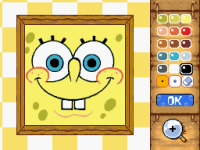 Faces are key to making your characters who you want them to be. If you get the face right, the rest will follow.

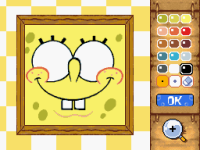 Big eyes are a way to make a character fun and friendly. Like SpongeBob.

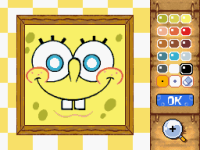 Don't forget the pupils! Draw a dark circle with a colored circle around it. Not dot those eyes!

 Don't forget the mouth. Big smiles make happy characters.


Eyebrows. They may be little, but they add a lot of emotion.
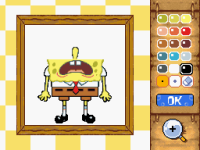 Shock! Make SpongeBob surprised. Use big eyebrows that stretch up.

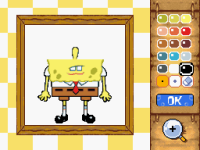 Ennui! Make SpongeBob bored. Cover the top half of the eyes with his eyelids.

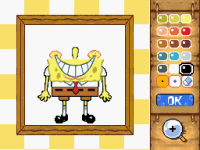 Joy! Make SpongeBob happy and smiling! Big happy eyes with big joyous pupils.

Despair! Make SpongeBob sad. The opposite of the last one. Make the eyebrows droopy - bring them down on the sides.
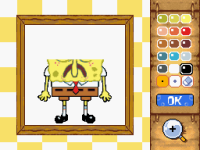 Oops. That's happy, not sad. Let's try that again.

 Go look in the mirror and watch your eyebrows. Make a surprised face. Make a happy face. Make a sad face. Learn from watching your own face.


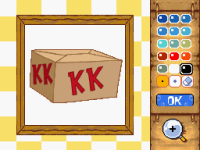 Which colors you use affect how the object feels.

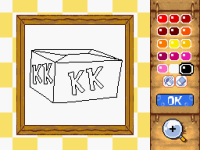 Reds have energy! Make this box more exciting by coloring it with reds.

 Blue is cool! Make this box cooler and quieter by coloring it with blues.

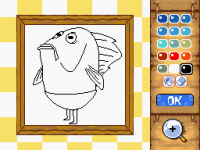 Some colors look better together than others. Try to find the ugliest combination of colors you can for this fish.


 The best way to improve your drawing is to practice, practice, practice!

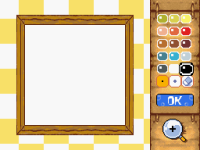 Draw a circle.

Draw a circle quickly!
Draw a circle faster!

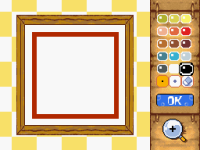 The best way to improve your drawing is to practice, practice, practice!

Draw a square.
Draw a square quickly!
Draw a square faster!


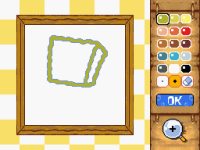 Trace the body

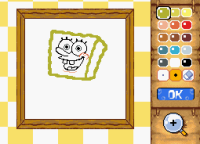 Place his face

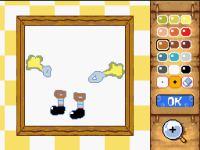 Draw arms and legs

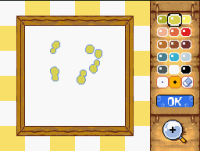 Draw dots

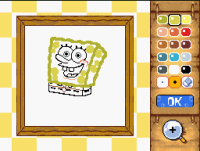 Place pants

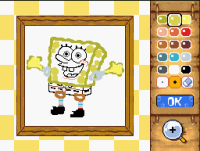 Place arms and legs

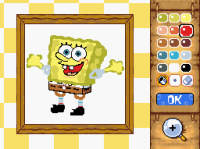 Now color in your artwork!


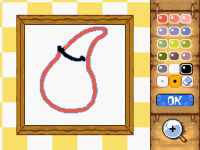 Trace the body

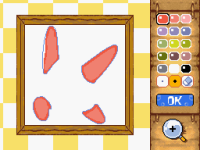 Draw arms and legs

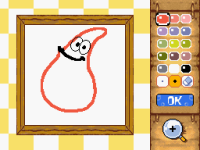 Place his face

 Draw eyebrows

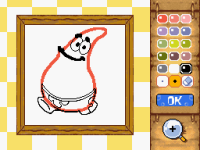 Place pants

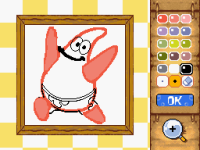 Place arms and legs

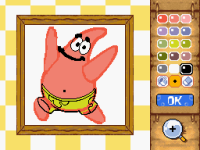 Now color in your artwork!


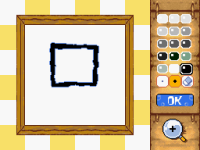 Trace the body

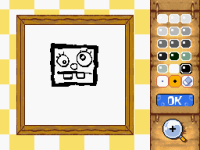 Place his face

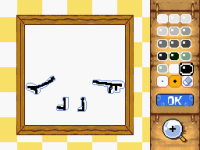 Draw arms and legs

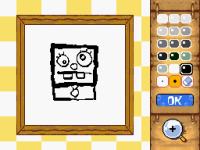 Place pants

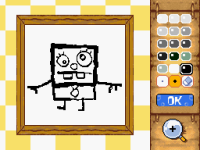 Place arms and legs


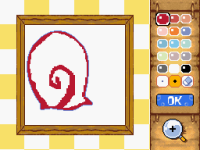 Trace his shell

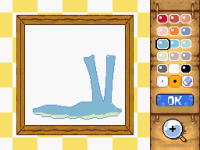 Trace his body

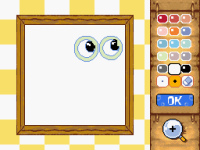 Draw his eyes

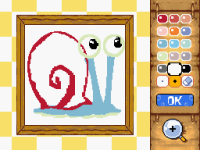 Place his eyes

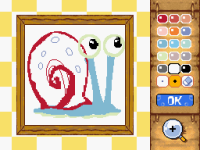 Place his shell decorations

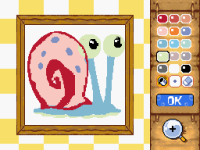 Now color in your artwork!

Trivia[edit]
- Drawn to Life: SpongeBob SquarePants Edition is the only game in the series to feature a drawing tutorial mode.
- Some palettes used in this mode can't be used in the basic Draw Mode.
 Media[edit]

The backgrounds this mode uses.

The music that plays in the "Learn to Draw" sub-menu.
The music that plays in the "Draw SpongeBob" sub-menu.
Plays during the Draw SpongeBob instructions.


Basic Palette

Basic Palette 2

Flamin' Palette

Water Blue Palette

Organic Palette

Mechanic Palette

People Drawin'

People Drawin' 2

SpongeBob Palette

Patrick Palette

DoodleBob's Palette

Gary's Palette

Fish Palette


