Difference between revisions of "Action Draw Altar"
(This is from memory! If anyone wants to play around with this more and get more info, feel free!) |
|||
| (3 intermediate revisions by one other user not shown) | |||
| Line 27: | Line 27: | ||
They are, however, still confined to a specific area. | They are, however, still confined to a specific area. | ||
| − | The preset guide for this object appears as an old, decrepit stone shrine with a [[Raposa]] head on top and a Nintendo DS | + | The preset guide for this object appears as an old, decrepit stone shrine with a [[Raposa]] head on top and a Nintendo DS Stylus in the center. |
| + | |||
| + | == {{Icon|Button}} Levels == | ||
| + | <center> | ||
| + | <tabber> | ||
| + | |-|Turtle Rock= | ||
| + | <table style="width:100%; padding-top:10px;"> | ||
| + | <tr> | ||
| + | <td><center> [[File:TR_BakiBasement.png|link=Baki Basement]] <br> [[Baki Basement]] </center></td> | ||
| + | </tr> | ||
| + | </table> | ||
| + | |-|Watersong= | ||
| + | <table style="width:100%; padding-top:10px;"> | ||
| + | <tr> | ||
| + | <td><center> [[File:WS_RockinRuins.png|link=Rockin' Ruins]] <br> [[Rockin' Ruins]] </center></td> | ||
| + | <td><center> [[File:Canalroyale.png|link=Canal Royale]] <br> [[Canal Royale]] </center></td> | ||
| + | <td><center> [[File:WS_JivinRooftops.png|link=Jivin' Rooftops]] <br> [[Jivin' Rooftops]] </center></td> | ||
| + | </tr> | ||
| + | </table> | ||
| + | |-|Lavasteam= | ||
| + | <table style="width:100%; padding-top:10px;"> | ||
| + | <tr> | ||
| + | <td><center> [[File:LS_CrystalCaverns.png|link=Crystal Caverns]] <br> [[Crystal Caverns]] </center></td> | ||
| + | <td><center> [[File:LS_LavaReservoir.png|link=Lava Reservoir]] <br> [[Lava Reservoir]] </center></td> | ||
| + | <td><center> [[File:LS_MagmaFlowFactory.png|link=Magma Flow Factory]] <br> [[Magma Flow Factory]] </center></td> | ||
| + | </tr> | ||
| + | </table> | ||
| + | <table style="width:100%; padding-top:10px;"> | ||
| + | <tr> | ||
| + | <td><center> [[File:LS_ClockworkTower.png|link=Clockwork Tower]] <br> [[Clockwork Tower]] </center></td> | ||
| + | </tr> | ||
| + | </table> | ||
| + | |-|Galactic Jungle= | ||
| + | <table style="width:100%; padding-top:10px;"> | ||
| + | <tr> | ||
| + | <td><center> [[File:GJ_CosmicBog.png|link=Cosmic Bog]] <br> [[Cosmic Bog]] </center></td> | ||
| + | <td><center> [[File:GJ_CraterPass.png|link=Crater Pass]] <br> [[Crater Pass]] </center></td> | ||
| + | <td><center> [[File:GJ_ScrambleTower.png|link=Scramble Tower]] <br> [[Scramble Tower]] </center></td> | ||
| + | </tr> | ||
| + | </table> | ||
| + | <table style="width:100%; padding-top:10px;"> | ||
| + | <tr> | ||
| + | <td><center> [[File:GJ_TechnoSpires.png|link=Techno Spires]] <br> [[Techno Spires]] </center></td> | ||
| + | </tr> | ||
| + | </table> | ||
| + | |-|Wilfre's Wasteland= | ||
| + | <table style="width:100%; padding-top:10px;"> | ||
| + | <tr> | ||
| + | <td><center> [[File:WW_DripDropDocks.png|link=Drip Drop Docks]] <br> [[Drip Drop Docks]] </center></td> | ||
| + | <td><center> [[File:WW_VolcanicEruption.png|link=Volcanic Eruption]] <br> [[Volcanic Eruption]] </center></td> | ||
| + | <td><center> [[File:WW_MysticManor.png|link=Mystic Manor]] <br> [[Mystic Manor]] </center></td> | ||
| + | </tr> | ||
| + | </table> | ||
| + | <table style="width:100%; padding-top:10px;"> | ||
| + | <tr> | ||
| + | <td><center> [[File:WW_CrumblingKeep.png|link=Crumbling Keep]] <br> [[Crumbling Keep]] </center></td> | ||
| + | </tr> | ||
| + | </table> | ||
| + | </tabber> | ||
| + | </center> | ||
| + | ---- | ||
== {{IconSVG|Trivia}} Trivia == | == {{IconSVG|Trivia}} Trivia == | ||
* When the player taps on the Action Draw Altar, a chorus of Raposa will faintly shout the word "draw". | * When the player taps on the Action Draw Altar, a chorus of Raposa will faintly shout the word "draw". | ||
| + | * [[Mystic Manor]] is the only Action Draw stage in the game without a traditional entrance. Instead, the player enters through a specific set of doors. | ||
| + | * Turtle Rock and Lavasteam share the same Action Draw signage. | ||
| + | * The player can technically skip creating the Action Draw Altar by utilizing the Object Clip glitch to skip the first Action Draw segment. | ||
| + | ** However, this renders all future Action Draw segments (and the game overall) impossible to complete until the player goes back to Baki Basement to create the Altar. | ||
=={{Icon|Painting}}Media== | =={{Icon|Painting}}Media== | ||
<center> | <center> | ||
| + | <tabber> | ||
| + | |-|Images= | ||
| + | {{#tag:tabber| | ||
| + | {{!}}-{{!}}Misc= | ||
<gallery widths="310" captionsize="medium" captiontextcolor="#8e8e8e" bordersize="none" bordercolor="transparent" captionalign="center" spacing="small" position="center"> | <gallery widths="310" captionsize="medium" captiontextcolor="#8e8e8e" bordersize="none" bordercolor="transparent" captionalign="center" spacing="small" position="center"> | ||
| − | |||
LiveActionDrawingInLevel.png|alt=An altar in a level|The pre-drawn Action Draw Altar in a level. | LiveActionDrawingInLevel.png|alt=An altar in a level|The pre-drawn Action Draw Altar in a level. | ||
AltarYellow.png|alt=Prompt: You can now use yellow! This can be used to reach new heights!|The color Yellow being made available to the player. | AltarYellow.png|alt=Prompt: You can now use yellow! This can be used to reach new heights!|The color Yellow being made available to the player. | ||
</gallery> | </gallery> | ||
| + | {{!}}-{{!}}Signs= | ||
| + | <gallery widths="310" captionsize="medium" captiontextcolor="#8e8e8e" bordersize="none" bordercolor="transparent" captionalign="center" spacing="small" position="center"> | ||
| + | ADSTR&LS.png|Turtle Rock & Lavasteam | ||
| + | ADSWS.png|Watersong | ||
| + | ADSGJ.png|Galactic Jungle | ||
| + | ADSWW.png|Wilfre's Wasteland | ||
| + | </gallery> | ||
| + | {{!}}-{{!}}Entrances= | ||
| + | <gallery widths="310" captionsize="medium" captiontextcolor="#8e8e8e" bordersize="none" bordercolor="transparent" captionalign="center" spacing="small" position="center"> | ||
| + | ADEBB.png|Baki Basement | ||
| + | ADERR.png|Rockin' Ruins | ||
| + | ADECR.png|Canal Royale | ||
| + | ADEJR.png|Jivin' Rooftops | ||
| + | ADECC.png|Crystal Caverns | ||
| + | ADELR.png|Lava Reservoir | ||
| + | ADEMFF.png|Magma Flow Factory | ||
| + | ADECT.png|Clockwork Tower | ||
| + | ADECB.png|Cosmic Bog | ||
| + | ADECP.png|Crater Pass | ||
| + | ADEST.png|Steely Thicket | ||
| + | ADETS.png|Techno Spires | ||
| + | ADEDDD.png|Drip Drop Docks | ||
| + | ADEVC.png|Volcanic Eruption | ||
| + | ADECK.png|Crumbling Keep | ||
| + | </gallery> | ||
| + | {{!}}-{{!}}Action Draw Sections= | ||
| + | <gallery widths="310" captionsize="medium" captiontextcolor="#8e8e8e" bordersize="none" bordercolor="transparent" captionalign="center" spacing="small" position="center"> | ||
| + | ActionDrawBakiBasement.png|Baki Basement | ||
| + | ADRR.png|Rockin' Ruins | ||
| + | ADCR.png|Canal Royale | ||
| + | ADJR.png|Jivin' Rooftops | ||
| + | ADCC.png|Crystal Caverns | ||
| + | ADLR.png|Lava Reservoir | ||
| + | ADMFF.png|Magma Flow Factory | ||
| + | ADCT.png|Clockwork Tower | ||
| + | ADCB.png|Cosmic Bog | ||
| + | ADCP.png|Crater Pass | ||
| + | ADST.png|Steely Thicket | ||
| + | ADTS.png|Techno Spires | ||
| + | ADDDD.png|Drip Drop Docks | ||
| + | ADVC.png|Volcanic Eruption | ||
| + | ADMM.png|Mystic Manor | ||
| + | ADCK.png|Crumbling Keep | ||
| + | </gallery> | ||
| + | }} | ||
| + | |-|Prompts= | ||
| + | <gallery widths="310" captionsize="medium" captiontextcolor="#8e8e8e" bordersize="none" bordercolor="transparent" captionalign="center" spacing="small" position="center"> | ||
| + | ActionDrawAltar.png|alt=Prompt: Hero can receive help from the Creator by using the Action Draw Altar. To activate, stand on the altar and press the "A" Button. Once activated, you can draw platforms to help Hero reach new areas.|A prompt explaining the Action Draw Altar. | ||
| + | ActionDrawFirstPrompt.png|The prompt that appears upon first entering Action Draw. | ||
| + | ActionDrawSecondPrompt.png|A prompt explaining how Action Draw works. | ||
| + | ActionDrawThirdPrompt.png|A prompt explaining how Action Draw works. | ||
| + | ActionDrawFourthPrompt.png|A prompt explaining how Action Draw works. | ||
| + | ActionDrawFifthPrompt.png|A prompt explaining how to erase Action Draw ink. | ||
| + | ActionDrawSixthPrompt.png|A prompt explaining how to reset Action Draw ink. | ||
| + | ActionDrawSeventhPrompt.png|A prompt explaining the ink limit. | ||
| + | ActionDrawEighthPrompt.png|A prompt explaining the color limit. | ||
| + | ActionDrawBlackInk.png|The introduction of black ink. | ||
| + | ActionDrawYellowInk.png|The introduction of yellow ink. | ||
| + | ActionDrawBlueInk.png|The introduction of blue ink. | ||
| + | ActionDrawGreenInk.png|The introduction of green ink. | ||
| + | </gallery> | ||
| + | |-|SFX= | ||
| + | <gallery widths="310" captionsize="medium" captiontextcolor="#8e8e8e" bordersize="none" bordercolor="transparent" captionalign="center" spacing="small" position="center"> | ||
| + | Action Draw Activate.ogg|"DRAW!" | ||
| + | </gallery> | ||
| + | </tabber> | ||
</center> | </center> | ||
| − | + | ||
{{Navbox/Creation|Drawn to Life: The Next Chapter|Turtle Rock|Action Draw Altar|boxcolor=#bfa867}} | {{Navbox/Creation|Drawn to Life: The Next Chapter|Turtle Rock|Action Draw Altar|boxcolor=#bfa867}} | ||
[[Category:Drawn to Life: The Next Chapter]] | [[Category:Drawn to Life: The Next Chapter]] | ||
[[Category:Creations in Drawn to Life: The Next Chapter]] | [[Category:Creations in Drawn to Life: The Next Chapter]] | ||
[[Category:Creations]] | [[Category:Creations]] | ||
| − | |||
Latest revision as of 15:15, 11 July 2025
| Action Draw Altar | |
| Information | |
|---|---|
| Name | Action Draw Altar |
| Use | Activating Action Drawing |
| Creation Type | Level Object |
| Has Preset | Yes |
| Template Needed | No |
| Created In/After | Baki Basement |
| Game(s) | 
|


Not to be confused with Action Drawing or the Village Altars.
To activate, stand on the altar and press the a button.
Once activated, you can draw platforms to help Hero reach new areas.”
–Design Prompt
The Action Draw Altar is a creation in Drawn to Life: The Next Chapter that allows to player to use the Action Draw feature. In order to use Action Drawing, the player must first activate the Action Drawn Altar, which is done by pressing the A button once the Hero is close enough to it. Once activated, the screen will zoom out, the Hero will disappear, and Action Drawing will commence.
The Action Draw Altar is created in Baki Basement on Turtle Rock, and is used frequently throughout the game.
 Appearance[edit]

Due to the Action Draw Altar being a creation object, the appearance of this object is completely dependent on the player.
They are, however, still confined to a specific area.
The preset guide for this object appears as an old, decrepit stone shrine with a Raposa head on top and a Nintendo DS Stylus in the center.
 Levels[edit]


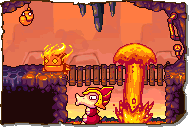
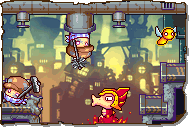
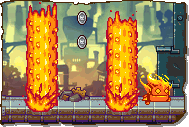


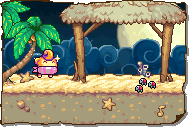
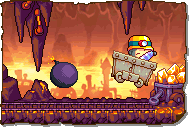
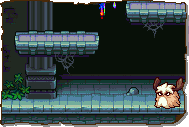
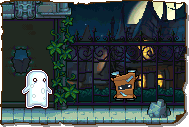
Trivia[edit]
- When the player taps on the Action Draw Altar, a chorus of Raposa will faintly shout the word "draw".
- Mystic Manor is the only Action Draw stage in the game without a traditional entrance. Instead, the player enters through a specific set of doors.
- Turtle Rock and Lavasteam share the same Action Draw signage.
- The player can technically skip creating the Action Draw Altar by utilizing the Object Clip glitch to skip the first Action Draw segment.
- However, this renders all future Action Draw segments (and the game overall) impossible to complete until the player goes back to Baki Basement to create the Altar.
 Media[edit]

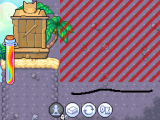
The pre-drawn Action Draw Altar in a level.
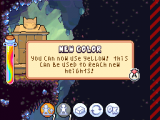
The color Yellow being made available to the player.


Turtle Rock & Lavasteam

Watersong

Galactic Jungle

Wilfre's Wasteland


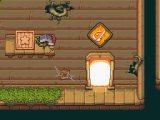
Baki Basement
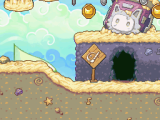
Rockin' Ruins
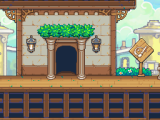
Canal Royale
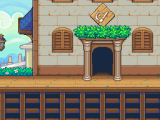
Jivin' Rooftops
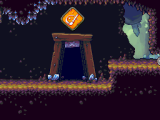
Crystal Caverns
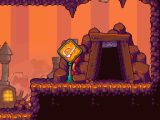
Lava Reservoir
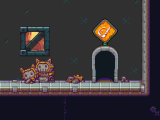
Magma Flow Factory
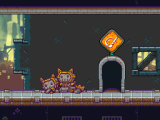
Clockwork Tower
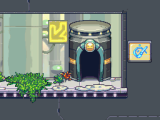
Cosmic Bog
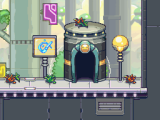
Crater Pass

Steely Thicket
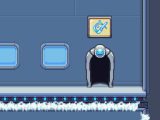
Techno Spires

Drip Drop Docks
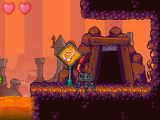
Volcanic Eruption
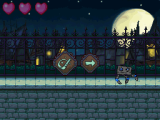
Crumbling Keep


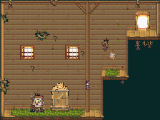
Baki Basement
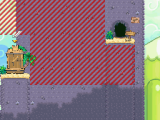
Rockin' Ruins
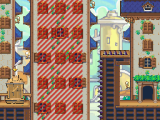
Canal Royale
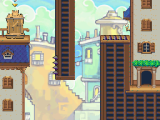
Jivin' Rooftops
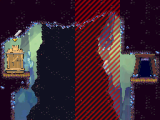
Crystal Caverns
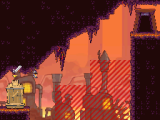
Lava Reservoir
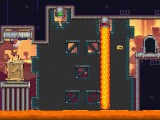
Magma Flow Factory
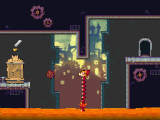
Clockwork Tower
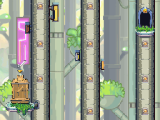
Cosmic Bog
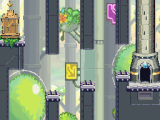
Crater Pass

Steely Thicket
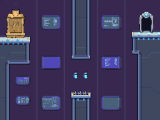
Techno Spires
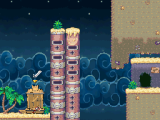
Drip Drop Docks
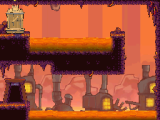
Volcanic Eruption
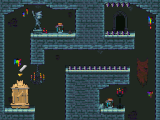
Mystic Manor
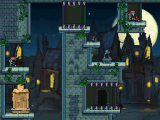
Crumbling Keep


A prompt explaining the Action Draw Altar.

The prompt that appears upon first entering Action Draw.

A prompt explaining how Action Draw works.
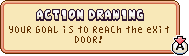
A prompt explaining how Action Draw works.
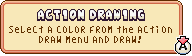
A prompt explaining how Action Draw works.

A prompt explaining how to erase Action Draw ink.
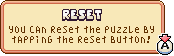
A prompt explaining how to reset Action Draw ink.
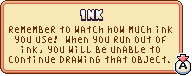
A prompt explaining the ink limit.

A prompt explaining the color limit.
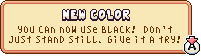
The introduction of black ink.
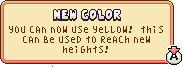
The introduction of yellow ink.
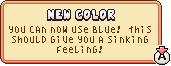
The introduction of blue ink.

The introduction of green ink.



"DRAW!"
